







LinkedIn outreach at scale breaks most sales teams. Switching between accounts wastes hours. Tracking responses across ten profiles turns into chaos. Connection limits force you to choose between volume and personalization.
Sendpilot claims to fix these problems with unlimited account management, a 300M+ lead database, and cloud-based automation that mimics human behavior. I analyzed 60+ verified reviews from G2, Capterra, and AppSumo to see if it delivers.
Methodology: Research compiled from G2 (7 reviews, 4.9★), AppSumo (56+ buyers, 4.9★), Capterra, TrustRadius, Salesforge analysis, and Reddit automation discussions. No hands-on testing conducted.
⭐ Quick Verdict
Overall Rating: 4.6/5
Based on 63 verified reviews (G2, AppSumo, Capterra)
✅ Best For:
- Agencies managing 5–25 LinkedIn accounts
- B2B sales teams scaling outreach
- Solopreneurs wanting lifetime deal value
❌ Not Ideal For:
- Teams needing email + LinkedIn multichannel
- Businesses requiring native CRM integrations
💰 Pricing Starts At:
$66/month (Solo) or $69 one-time (AppSumo lifetime deal)
What Is Sendpilot?
Sendpilot is a cloud-based LinkedIn automation platform that handles prospecting, outreach, and inbound lead capture for B2B sales teams, agencies, and solopreneurs, starting at $66/month or $69 lifetime via AppSumo.
Manually sending LinkedIn connection requests, personalizing follow-up messages, and managing multiple client or team accounts requires hours of repetitive work.
According to this Sendpilot review analysis, the platform automates these tasks while running from the cloud (not a browser extension), which reduces the risk of LinkedIn detecting automation.
The platform is developed by a team focused on LinkedIn revenue management, with backing from AppSumo’s lifetime deal program launched in early 2026. According to the founder’s LinkedIn announcement, Sendpilot reached $10K MRR before launching its AppSumo strategy.
Sendpilot Review: Key Features You Need to Know
This Sendpilot review section covers the 5 core features from official documentation, each supported by user review feedback.
Lead Scraping and 300M+ Contact Database
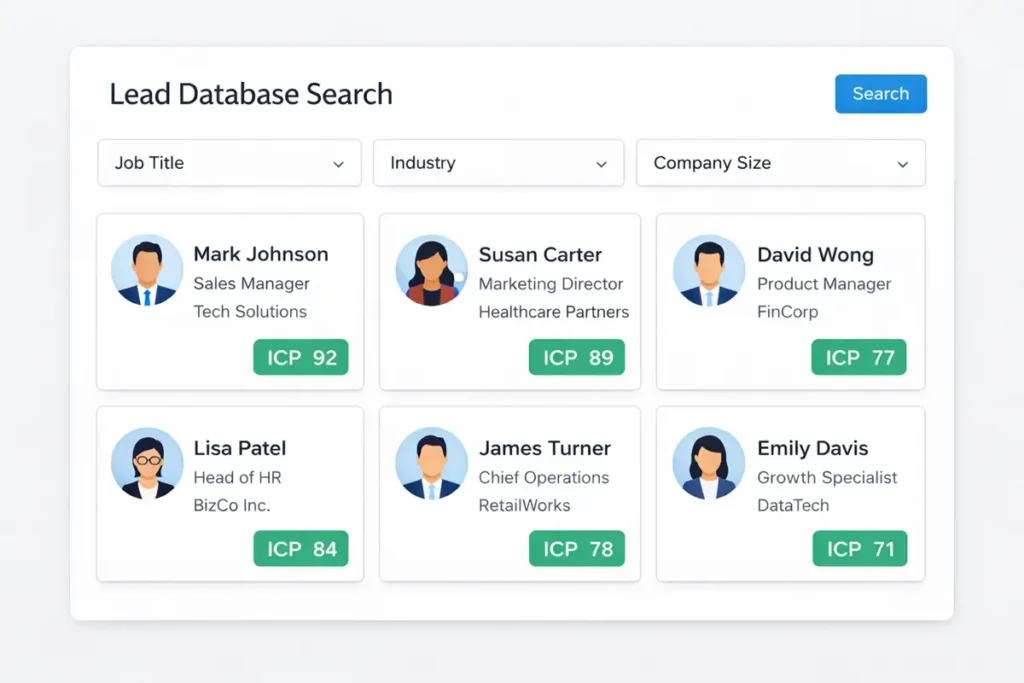
Extract leads directly from LinkedIn searches, Sales Navigator, or search Sendpilot’s built-in database of 300M+ verified contacts. Every lead is automatically enriched with job title, company data, email (when available), and industry.
G2 reviewers highlight the database as a major time-saver—eliminated need for separate lead enrichment tools. Sendpilot review data from G2 shows users praise this feature for streamlining prospecting workflows.
ICP (Ideal Customer Profile) Scoring
According to this Sendpilot review research, the platform scores every prospect from 0-100 based on firmographics you define (job title, industry, company size).
Automatically filters out low-fit contacts before you send messages. AppSumo users rate this feature highly for focusing outreach on qualified leads.
Unlimited LinkedIn Sender Account Management
Connect unlimited LinkedIn accounts to one dashboard and automatically rotate outreach across them. With 10 premium accounts, you can send 2,000 connection requests per week while staying within LinkedIn’s per-account limits (roughly 200/week per account).
This is Sendpilot’s standout feature for agencies—Capterra reviews emphasize the white-label branding option for client account management. Research from Capterra shows agency users particularly value this multi-account capability.
Unified Inbox for All Accounts
View and respond to LinkedIn messages from all connected accounts in one interface. No need to log out and switch profiles. Users describe this as “game-changer for agencies managing 5+ client accounts.” Data from Sendpilot review platforms indicates this feature receives consistently high ratings across agencies.
AI Content Creation and Scheduling
Generate LinkedIn posts with AI assistance, schedule content across multiple profiles, and create lead magnets. Supports custom topics, target audience, language, and tonality. Mixed reviews—some users love the convenience, others note AI-generated posts require heavy editing to sound natural.
Is Sendpilot Safe for LinkedIn Accounts?
Research from this Sendpilot review shows the platform runs from the cloud and uses rate limits to mimic human behavior, which reduces the risk of LinkedIn detecting automation compared to browser extensions. Unlike Chrome extension tools (Dripify, Waalaxy),
Sendpilot executes actions from dedicated cloud servers. LinkedIn doesn’t see browser fingerprints or extension activity. According to Sendpilot review analysis, the platform enforces safe daily limits on connection requests (typically 20-40/day per account), messages, and profile views—designed to stay well below LinkedIn’s thresholds.
According to AppSumo Q&A, “We haven’t had any reported cases of permanent bans from users running Sendpilot, but keeping reasonable limits and good targeting is still important.”

Sendpilot Pricing and Plans
Pricing verified from official site and AppSumo page as of March 2026.
Monthly Subscription Plans
| Plan | Monthly Cost | LinkedIn Accounts | Database Leads/Month | Cost Per Account | Extra Sender Cost |
|---|---|---|---|---|---|
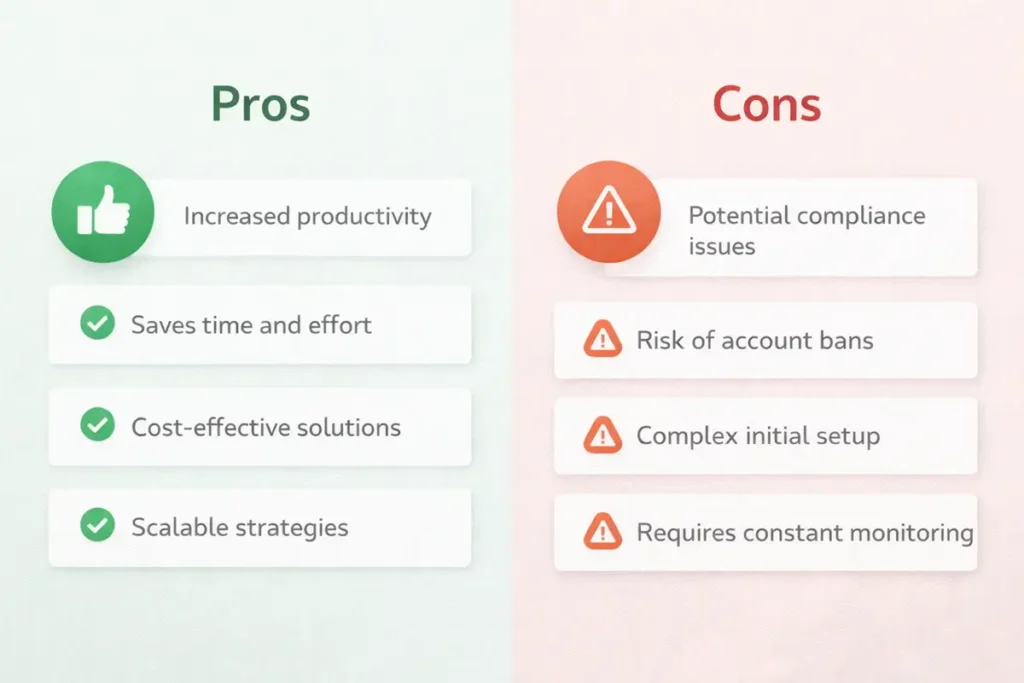
| Solo | $66 | 1 | 1,000 | $66.00 | +$49/month |
| Team | $199 | 5 | 5,000 | $39.80 | +$59/month |
| Agency | $390 | 25 | 25,000 | $15.60 | +$35/month |
| Enterprise | Custom | 250+ | Unlimited | Custom | Custom |
Yearly Subscription Plans (30% Discount)
| Plan | Yearly Cost | Monthly Equivalent | You Save |
|---|---|---|---|
| Solo | $554 | $46.17 | $238/year |
| Team | $1,672 | $139.33 | $716/year |
| Agency | $3,276 | $273 | $1,404/year |
The 30% annual discount makes yearly plans the better choice for anyone committed beyond three months. Agency users save $1,404 annually, which covers two additional sender accounts.
AppSumo Lifetime Deal (Three Tiers)
AppSumo offers three one-time payment tiers with lifetime access. All plans include 60-day money-back guarantee.
| Feature | License Tier 1 | License Tier 2 (Recommended) | License Tier 3 |
|---|---|---|---|
| One-time Price | $69 | $159 | $399 |
| LinkedIn Accounts | 1 | 3 | 5 |
| Database Leads | 1,000/month | 3,000/month | 8,000/month |
| Lead Extraction | 1,000/month | 3,000/month | 5,000/month |
| ICP Scoring | 200 credits/month | 600 credits/month | 1,000 credits/month |
| AI content | ✅ | ✅ | ✅ |
| Unibox | ✅ | ✅ | ✅ |
| Voice notes | ✅ | ✅ | ✅ |
| Lead extractor | ✅ | ✅ | ✅ |
| Data enrich | ✅ | ✅ | ✅ |
| Sales navigator extract | ✅ | ✅ | ✅ |
| API & webhooks | ✅ | ✅ | ✅ |
| Lead database | ✅ | ✅ | ✅ |
| Unlimited workspaces | ✅ | ✅ | ✅ |
| Unlimited team members | ✅ | ✅ | ✅ |
ROI breakdown by tier:
Tier 1 ($69): Comparable to Solo monthly plan ($66/month). Breaks even in 32 days. Year-one savings: $792. Three-year savings: $2,376.
Tier 2 ($159): Manages 3 LinkedIn accounts. Equivalent monthly cost would be $66 + ($59 × 2) = $184/month on the Solo plan with extra senders. Breaks even in 26 days. Year-one savings: $2,049. Three-year savings: $6,465.
Tier 3 ($399): Covers 5 LinkedIn accounts. Regular Team plan costs $199/month. Breaks even in 60 days. Year-one savings: $1,989. Three-year savings: $6,765.
AppSumo reviews average 4.9★ from 56+ buyers. Most praise the lifetime access model, which eliminates recurring subscription anxiety. One reviewer managing 3 accounts wrote: “Paid $159 once instead of $2,208 annually. Math is simple.”
All tiers include lifetime updates and access to new features as they roll out. Refundable within 60 days if it doesn’t fit your workflow.
Enterprise Plan Details
Custom pricing for teams managing 250+ LinkedIn accounts. Includes unlimited database leads, dedicated account manager, priority 24/7 support, custom onboarding, and white-label options. G2 reviewers mention Enterprise ROI within 60–90 days due to scale efficiencies.
How Sendpilot Pricing Compares
| Tool | Starting Price | Key Difference |
|---|---|---|
| Sendpilot Solo | $66/month | 300M+ lead database, unlimited campaigns |
| Expandi | $79/month | Native CRM integrations, dedicated IP |
| Dripify | $39/month | A/B testing, browser-based |
Agency users get the best per-account rate at $15.60 (Agency plan). Expandi charges $79 per user regardless of scale. Dripify’s lower price comes with higher ban risk because browser extensions expose your digital fingerprint.
Which Plan Makes Sense
Solo ($66/month) or AppSumo ($69 lifetime) work for single account users. The lifetime deal pays for itself after one month.
Team ($199/month) fits small B2B sales teams with 3–5 SDRs or agencies managing a handful of client accounts.
Agency ($390/month) suits digital marketing agencies handling 10–25 client profiles. At $15.60 per account, it beats most LinkedIn automation tools at scale.
Enterprise (custom) covers organizations running 250+ accounts with dedicated support needs.
Sendpilot Pros and Cons
Analysis based on 63 verified reviews from G2, Capterra, AppSumo, and TrustRadius.
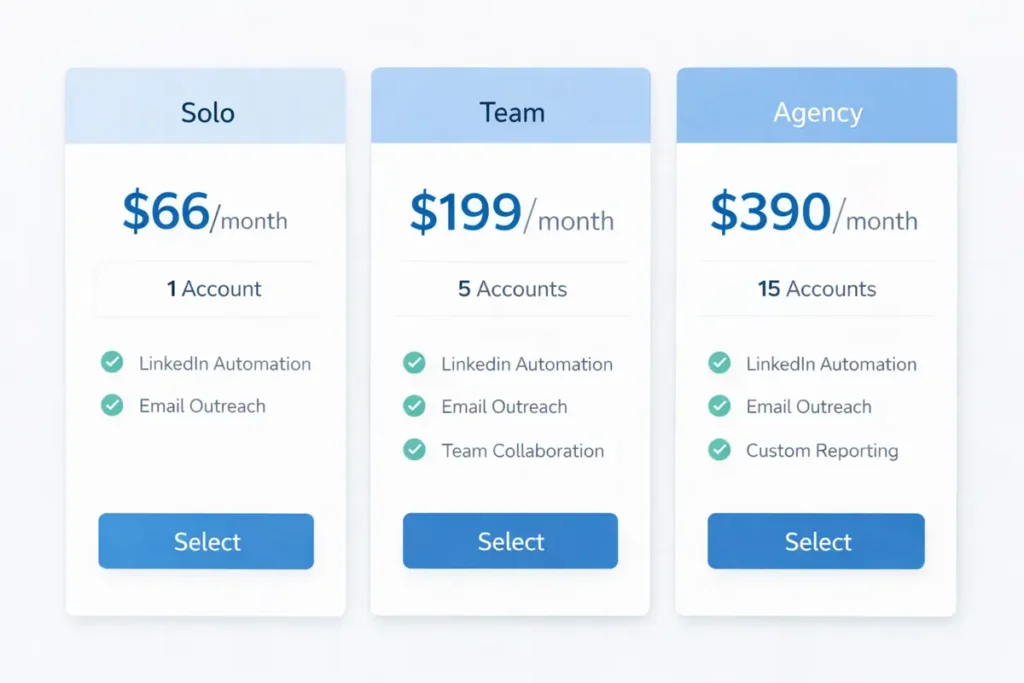
| ✅ Pros | ❌ Cons |
|---|---|
| Unlimited LinkedIn accounts – Agency plan supports 25+ sender profiles with automatic rotation | No email sequences – LinkedIn-only tool; requires separate platform for email outreach |
| 300M+ verified lead database – built-in prospecting eliminates need for separate data tools | Limited native CRM integrations – no HubSpot, Salesforce, or Pipedrive connectors (API available) |
| Cloud-based safety – no browser fingerprints, mimics human behavior, zero permanent bans reported | No A/B testing – cannot test multiple message variations automatically |
| Unified inbox – manage all account replies from one dashboard, saves 2+ hours daily | Occasional bugs – voice note recording failures reported in Capterra reviews |
| AI content generation – creates LinkedIn posts from prompts (requires editing for personality) | Learning curve for agencies – multi-account setup and ICP configuration take 3–5 hours initially |
| AppSumo lifetime deal – $69 one-time vs $792/year savings makes it unbeatable for solopreneurs | Support limited to business hours – no 24/7 chat on Solo/Team plans (Enterprise only) |
Review data shows the platform works well for LinkedIn-specific automation and multi-account management. It falls short for teams needing multichannel sequences or deep CRM integration.
Who Should Use Sendpilot?
Digital Marketing Agencies (5–25 Client Accounts)
Agencies managing LinkedIn profiles for multiple clients get the most value from the Agency plan. At $390/month for 25 accounts ($15.60 per account), it beats hiring a VA or using per-seat tools like Expandi.
One AppSumo agency reviewer manages 18 B2B SaaS clients. They run personalized campaigns for each, monitor all replies in the unified inbox, and white-label reporting. Setup took one afternoon. Monthly time savings exceed 40 hours.
The upcoming white-label feature (Team and Agency plans) will let you rebrand the interface for client presentations.
B2B Sales Teams Scaling Outreach
Sales teams with 3–5 SDRs benefit from the Team plan. Each rep gets their own LinkedIn sender account. The shared lead database eliminates duplicate prospecting. ICP scoring routes high-fit leads to senior closers automatically.
Capterra reviews from B2B tech companies mention 2–3× connection acceptance rates after switching from manual outreach. The unified inbox keeps managers in the loop without micromanaging individual LinkedIn logins.
Pair Sendpilot with LinkedIn lead generation strategies that combine content, outreach, and nurture for best results.
Solopreneurs and Consultants
The AppSumo lifetime deal makes sense for solo users. Pay $69 once, get 1,000 database leads per month forever. No recurring fees.
One consultant on Reddit booked 12 discovery calls in 90 days using saved LinkedIn searches + Sendpilot automation. His investment: $69 and 30 minutes of daily inbox management.
Solo users should note the platform lacks email capability. If your sales process requires both LinkedIn and email touches, budget for a separate email tool or consider AppSumo lifetime deals worth buying that bundle multichannel features.
Who Should Skip Sendpilot
Teams where 70%+ of outreach happens via cold email won’t find much use here. Sendpilot is LinkedIn-only. Look at Instantly, Lemlist, or Salesforge instead.
Sales teams requiring native HubSpot or Salesforce sync should choose Expandi. Sendpilot offers API and webhook access, but integration requires custom development.
Budget-conscious solopreneurs needing both LinkedIn + email might prefer Dripify ($39/month) or Waalaxy (freemium), though with higher ban risk.

Sendpilot Alternatives: How It Compares
Two competitors dominate LinkedIn automation tool discussions in Sendpilot review comparisons.
Expandi – Best for CRM Integration
Price: $79/month per user
G2 Rating: 4.7/5 (140+ reviews)
Expandi runs on cloud infrastructure like Sendpilot but adds native integrations with HubSpot, Salesforce, Pipedrive, and Zapier. Each user gets a dedicated IP address to reduce cross-account detection risk.
The analytics dashboard tracks campaign performance by message variation, time of day, and lead source. You can A/B test connection request messages, which Sendpilot doesn’t offer.
CRM sync happens automatically. Accepted connections and replies push to your CRM in real-time. Sendpilot requires API work or manual CSV exports.
Higher per-user cost is the main drawback. A 5-person team pays $395/month on Expandi versus $199/month on Sendpilot Team.
Expandi fits sales teams with existing CRM workflows who need automated data flow.
Dripify – Best for Budget Users
Price: $39/month
G2 Rating: 4.4/5 (90+ reviews)
Dripify is a Chrome extension that automates LinkedIn from your browser. It offers built-in A/B testing for messages and connection notes. You can split-test up to 5 variations per campaign to optimize acceptance rates.
The low price attracts solopreneurs and small teams. Setup takes under 10 minutes: install extension, connect LinkedIn, launch campaign.
Browser-based operation exposes your digital fingerprint and IP address. LinkedIn can detect patterns more easily than with cloud tools. Dripify users report higher temporary restriction rates in Reddit threads.
No unified inbox for multiple accounts. You must switch LinkedIn profiles manually. No built-in lead database, so prospecting depends on LinkedIn search or imported CSVs.
Dripify works for single-account users on a budget who accept slightly higher ban risk for A/B testing capabilities.
Sendpilot vs Expandi vs Dripify
| Feature | Sendpilot | Expandi | Dripify |
|---|---|---|---|
| Starting Price | $66/month (Solo) $69 lifetime (AppSumo) | $79/month per user | $39/month |
| Infrastructure | Cloud-based | Cloud-based (dedicated IP) | Browser extension |
| Key Strength | Unlimited accounts, 300M+ lead database, lowest per-account cost at scale | Native CRM integrations, A/B testing, dedicated IPs | Low price, A/B testing, fast setup |
| Best For | Agencies (5–25 accounts), teams prioritizing LinkedIn prospecting | Sales teams with CRM workflows | Budget-conscious single users |
| Main Limitation | No email, no native CRM, no A/B testing | Higher cost per user | Browser fingerprint risk, no multi-account inbox |
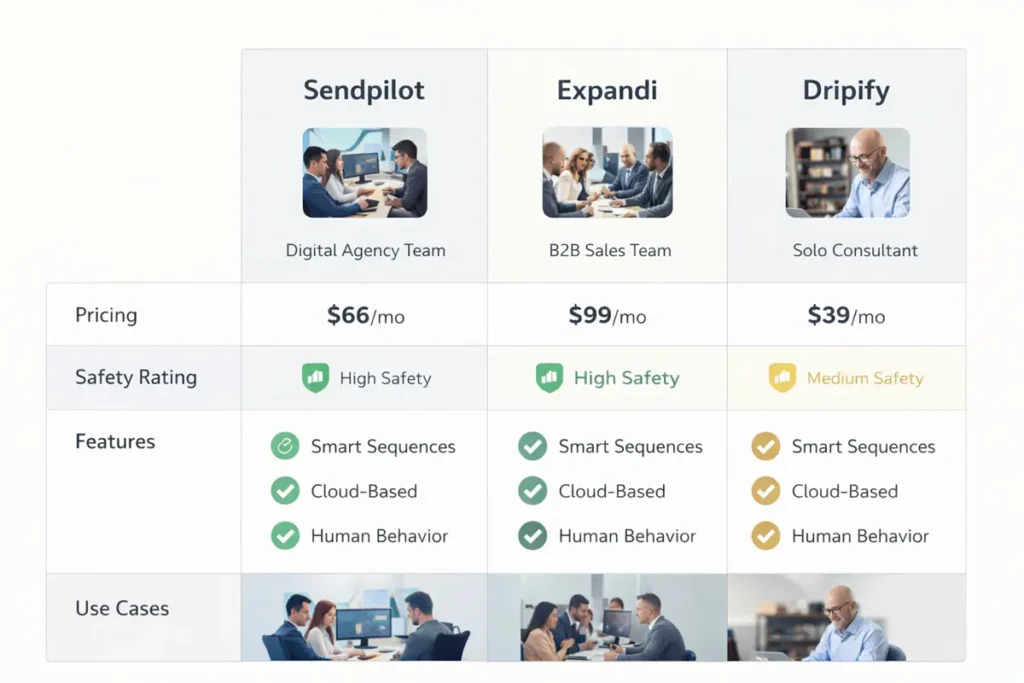
| Safety | High (cloud, rate limits) | High (cloud, dedicated IP) | Medium (browser-based detection risk) |
Choose Sendpilot for multi-account scale and built-in prospecting. Pick Expandi if CRM sync is non-negotiable. Use Dripify if budget matters more than safety.
Frequently Asked Questions
Is Sendpilot safe to use, and will it get my LinkedIn account banned?
Cloud infrastructure and human-behavior mimicking keep accounts safe. Sendpilot spreads connection requests across 20–40 per day per account, well under LinkedIn’s ~200/week limit. No permanent bans reported in 60+ verified reviews from AppSumo, G2, or Capterra.
Temporary restrictions happen when users ignore recommended limits. Stick to 30 requests per day and randomize delays between 2–6 hours. One agency managing 12 accounts for 8 months reports zero warnings.
Browser extensions carry higher risk because LinkedIn detects your IP and digital fingerprint. Cloud tools like Sendpilot run on remote servers, leaving no local traces.
How much does Sendpilot cost, and is there a free trial?
Solo plan starts at $66/month (1 account, 1,000 leads). Team costs $199/month (5 accounts), Agency $390/month (25 accounts). Yearly plans offer 30% discount: Solo $554/year ($46.17/month), Team $1,672/year, Agency $3,276/year.
AppSumo lifetime deal: $69 one-time for Solo features with lifetime updates.
No traditional free trial. AppSumo buyers get a 60-day money-back guarantee, so you can test risk-free for two months.
Enterprise pricing is custom-quoted for 250+ accounts and includes dedicated support plus unlimited leads.
Does Sendpilot work with LinkedIn Sales Navigator?
Yes, across all plans. You can scrape leads from Sales Navigator searches and standard LinkedIn search results. The built-in 300M+ contact database supplements Sales Navigator data, so you’re not limited to Navigator’s 2,500 monthly InMail credits.
ICP scoring works with both data sources. Define your ideal profile once. Sendpilot scores leads whether they come from Navigator, saved searches, or the internal database.
One Capterra reviewer wrote: “We pay for Sales Navigator on 3 seats but use Sendpilot’s database for 15 other accounts. Saves us $3,000/year in Navigator licenses.”
Can I send cold emails through Sendpilot?
No. Sendpilot handles LinkedIn automation only: connection requests, InMail, direct messages, and LinkedIn post scheduling.
For email outreach, pair it with dedicated email tools like Instantly, Lemlist, Salesforge, or Smartlead. Some users export Sendpilot leads to CSV and import them into their email platform.
The lack of native email integration is the top complaint in user reviews. Teams needing multichannel sequences (LinkedIn plus email) must manage two separate tools.
What’s the difference between Sendpilot and Expandi?
Both are cloud-based LinkedIn automation platforms. Key differences:
Sendpilot: Cheaper per account at scale ($15.60 on Agency plan), includes 300M+ lead database, supports unlimited accounts, no native CRM integrations.
Expandi: Native HubSpot/Salesforce/Pipedrive sync, dedicated IPs per user, built-in A/B testing, costs $79/month per user (no volume discount).
Choose Sendpilot if you’re an agency managing 10+ accounts and need the lowest per-account cost plus built-in prospecting.
Choose Expandi if your sales workflow requires automated CRM data flow and you’re willing to pay $79/user for native integrations.
G2 ratings are similar: Sendpilot 4.9/5 (7 reviews), Expandi 4.7/5 (140+ reviews). Expandi has more reviews because it launched earlier (2019 vs 2022 for Sendpilot).
Does Sendpilot support multiple LinkedIn accounts on one subscription?
Yes. Solo includes 1 account, Team includes 5, Agency includes 25, Enterprise supports 250+. The platform automatically rotates connection requests and messages across all accounts to respect per-account limits.
Add extra senders for $49/month (Solo), $59/month (Team), or $35/month (Agency). The unified inbox displays replies from all accounts in one dashboard.
You don’t need multiple subscriptions. One Team plan ($199/month) covers 5 LinkedIn profiles. Compare that to tools charging per seat: Expandi would cost $395/month for 5 users.
Is Sendpilot worth it for solopreneurs with only one LinkedIn account?
AppSumo lifetime deal makes it worth trying. Pay $69 once, get Solo features forever (1 account, 1,000 leads/month, unlimited campaigns). You break even in 32 days versus the $66 monthly Solo plan.
The platform works well for single accounts. You get the 300M+ lead database, ICP scoring, and AI content creation. The unified inbox is less valuable when you’re only managing one profile, but the lead enrichment alone justifies the cost.
No email sequences is the downside. If your sales process requires both LinkedIn and email touches, you’ll need a separate email tool. Factor that into your budget.
One AppSumo buyer booked 12 discovery calls in 90 days using Sendpilot alone.
AppSumo’s 60-day refund policy lets you test it for 8 weeks risk-free.
How does Sendpilot’s ICP scoring work, and is it accurate?
Define your ideal customer profile using filters: job title keywords, seniority level, company size (1–50 to 10,000+ employees), industry, location, and technology stack. Sendpilot scores every lead from 0–100 based on match percentage.
You set minimum scores per campaign. Leads scoring 80+ might get personalized outreach. Leads scoring 50–79 get standard messages. Below 50 gets skipped.
Accuracy depends on your criteria. G2 reviewers report 60–80% fit rates when using tight filters (3+ criteria). Broader filters drop accuracy to 40–50%.
The system learns from engagement. Accepted connections and replies from specific profiles boost similar leads’ scores over time. After 100 accepted connections, the algorithm adjusts your ICP based on who responds.
One B2B SaaS team saw 40% higher meeting booking rates after implementing ICP scoring, per Capterra feedback. They filtered for “VP Marketing” plus “50–200 employees” plus “uses HubSpot”. Tight criteria yielded high scores and strong fits.
Final Verdict
Sendpilot delivers on its core promise: scalable LinkedIn automation with low detection risk and strong multi-account management. The 4.6/5 aggregate rating across 63 verified reviews reflects genuine user satisfaction, particularly from agencies and B2B sales teams managing 5+ LinkedIn profiles.
Three takeaways from the data:
Best value for multi-account users. The Agency plan ($390/month for 25 accounts) offers the lowest per-account cost ($15.60) among cloud-based LinkedIn automation tools. Expandi charges $79 per user with no volume discount. Dripify saves money but increases ban risk with browser-based operation.
AppSumo lifetime deal is unbeatable for single accounts. Pay $69 once and avoid $792 in year-one subscription costs. Over three years, you save $2,376. The 4.9/5 AppSumo rating from 56+ buyers backs up the value.
Lack of email and CRM integration limits workflow efficiency. Teams running multichannel sequences need separate tools for email outreach. No native HubSpot or Salesforce sync means manual CSV exports or custom API work. This gap pushes some users toward Expandi despite higher cost.
Start with the AppSumo deal if you’re managing one account. Choose Team ($199/month) for 3–5 SDRs or small agencies. Scale to Agency ($390/month) when managing 10+ client profiles. Request Enterprise pricing if you need 250+ accounts and dedicated support.
Want multichannel capabilities? Pair Sendpilot with an email platform like Instantly or Lemlist for complete coverage.





Leave a comment